Organize AI chats locally
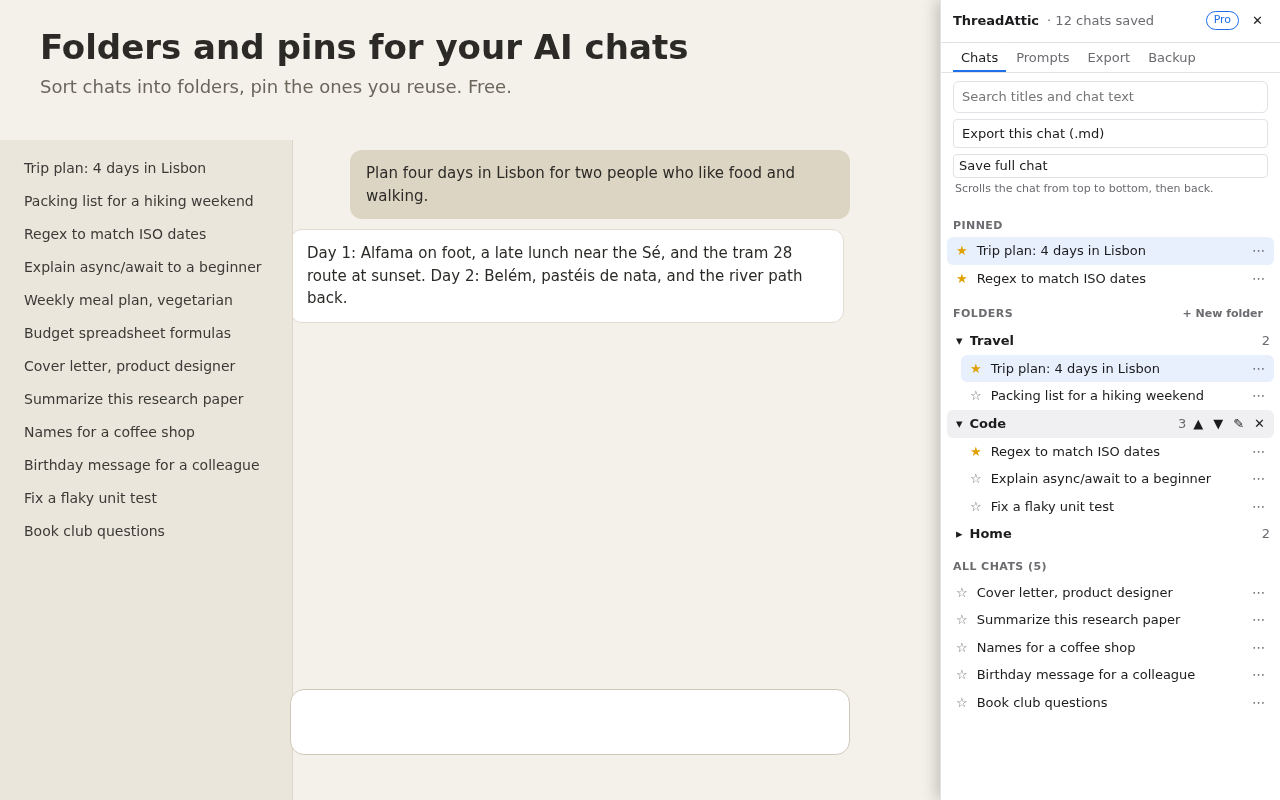
ThreadAttic adds a side drawer to chatgpt.com and claude.ai with folders, pins, search, saved prompts and export. Everything is stored in your own browser. No account.
Free for up to 20 folders · Pro from $19/year · 14-day money-back guarantee
Screenshot — folders and pins in the ThreadAttic drawer.
Free
Up to 20 folders. Drag a chat onto a folder, or select several chats and move or remove them at once.
Pin the chats you reuse. Instant search by title.
Up to 10 saved prompts, inserted into the message box with one click. You still press send.
Export the open chat as a Markdown file.
Pro
Find a word in the text of your chats, with a snippet.
One click scrolls a long chat from top to bottom and back and saves what it reads. It stops as soon as you scroll, type or click. On claude.ai it tells you when all of the chat's messages are saved. On ChatGPT it says how many messages it read, and that it can't tell whether that is the whole chat.
Markdown or text in a .zip (folders become directories), or one JSON file. Optional dates. Includes the chats whose text ThreadAttic has saved: it saves a chat's text when you open it with Pro active.
Everything in one file. Restoring never deletes anything.
Unlimited folders, nested up to 5 levels, and unlimited prompts with {{variables}} you fill in each time.
Export just the messages you pick from a chat, as Markdown, text or JSON.
Privacy
The free version makes no network requests at all.
With Pro, ThreadAttic saves the text of the chats you open, on your computer only, so it can be searched and exported. Free does not save chat text.
Pro checks your license key with our server when you activate, about once a day, and when you deactivate. It sends the key and a random device number. Never your chats. The key is kept as plain text (not encrypted) in the extension's own storage in your browser; web pages cannot read it.
No ads, no analytics, no remote code.
Good to know